










Connect your Page to publish scheduled posts and updates from your content queue.
Save hours every week
Your social media.On autopilot
Create posts with AI, approve them before they go live, and manage all your channels from one platform.
Select an example niche
Next week
Mon
1
Tue
2
Wed
3
Thu
4
Fri
5
Sat
6
Sun
7
Suggested time slots
09:0014:3017:15
Create posts
Provide a few more details (optional)
Products
- Chef’s special
- House wine

- Weekend brunch menu

- Tasting menu

- Dessert platter

Get your time back
Reclaim hours every month on social media admin while maintaining the same posting frequency.Draft once, customize per channel, and approve in one place. Less back-and-forth, more output.
Every profile requires approvals, edits, and network-specific tweaks. Add brands and your calendar fills with coordination before a single caption is published.
Use the slider to match the number of businesses you manage. The bars show estimated time spent the old way versus the same rhythm on ScalePlant.
135102030
← Adjust the slider to match your business count
Time savings simulator
3 posts / month
+39m saved
Manual process
45m
per month
ScalePlant
6m
per month
Estimated monthly admin time (ideation, approvals, scheduling).
Managing accounts currently
- Different logins, tabs, and tools for each brand or client
- No single place that shows what is drafted, approved, or already live
- The same idea rewritten for every network because formats and tone differ
- Handing social access to a teammate without a clean, safe setup
How ScalePlant Socials helps
- Connect each business's Instagram and Facebook once. Your team signs in once.
- Shared planner and drafts per brand so everyone sees the same calendar
- AI shapes copy per channel; you approve from one workflow
- Each account keeps its own assets, tokens, and permissions. Nothing crosses over.
Product tour
A single workflow. Three views that actually publish content.
View every scheduled slot on the calendar, promote from your catalog, and let AI draft posts automatically—all in one place.
Business calendar
Every scheduled post, channel, and slot in one month view—drag to reshuffle, nothing slips through.
Products & services
List products or services once; angles, prices, and promos flow straight into new post ideas.
AI post generation
Captions and channel variants generate from your data—review, tweak, and approve before anything goes live.
Learn more
Want a closer look at the product?
See how the workspace, publishing workflow, and channel operations fit together in one clear view.
Demo workspace: ScalePlant Marketing
Active workspace
ScalePlant MarketingGrowth plan
Businesses
4 / 25 Stonewood Co.
 Bloom Retail
 Northwind Labs
 Harbour Co.
Workspaces
Each workspace features its own media library, business list, and calendar.
That separation is deliberate. It is the cleanest way to run distinct corporates, holding groups, or agency portfolios without credentials, assets, or schedules bleeding into the wrong account. Switch workspace and you switch context—media bank, OAuth tokens, and what is queued to publish stay walled off by design.
Within a workspace you add every brand or subsidiary you need, each with its own channels and editorial calendar. Your team signs in once, switches the moment the client or division changes, and always knows exactly which library and which timetable they are working in.
When you are ready to post, AI creates the first draft—only what your team approves goes live.
Product database
Upload your products. We write the posts.
Add products with name, price, imagery, and notes. That record becomes the single source of truth for generation: the model pulls facts, angles, and proof points you have already approved—so captions read like your team wrote them, not a generic template.
Lavender · 2 L
Monstera · 21 cm pot
Olive tree · outdoor standard
Terracotta planter · 45 cm
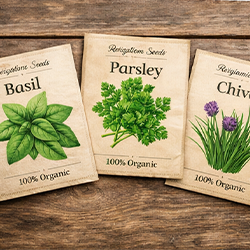
Organic herb seed trio
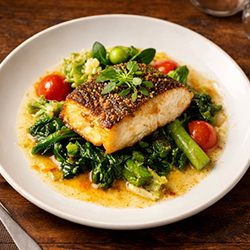
Chef’s seafood special · tonight
Integrations
The channels and tech stack you already use
Facebook
Instagram
Link your professional account to plan feed content and publish from the calendar.
LinkedIn
Ship company and profile updates without switching out of your drafts workflow.
Threads
Keep short-form updates alongside Meta channels so everything stays on-brand.
Bluesky
Reach new audiences with concise posts approved in the same queue as your other channels.
Telegram
Optional bot notifications when drafts need review or scheduled posts are about to go live — not for publishing.
Google Photos
Import albums and shots into your media bank ready for campaigns and drafts.
Dropbox
Browse folders and pull files straight into drafts and the media bank.
OneDrive
Attach Microsoft 365 assets and sync creative files into your content workflow.








Customer stories
Teams that traded chaos for a full calendar
“We went from two posts a week to a full month planned in one sitting. Captions finally mirror our PDP copy—our ROAS reports look less like guesswork.”
Kai Morrison
Founder · Morrison Home Co.
“I stopped rewriting the same caption five times for each network. One approval pass, every variant ready—my Fridays are actually mine again.”
Leah Thompson
Social Media Manager · Harbour Studio
“Twelve retainers used to mean twelve logins and twelve spreadsheets. Now each client has a siloed workspace and we still bill the same day rate.”
Alex Rivera
Managing Partner · Line & Pixel Agency
Pricing
Plans built around real output, not vague feature gates.
Compare AI credits, media library storage, upload limits, team seats, and retention by plan. Pricing is processed via Stripe once billing is configured.
Save about 25%
Free
Manage your social media the easy way.
Free forever
- 200 lifetime AI credits
- Up to 1 business profiles
- 50.0 MB media library
- 10.0 MB max upload
- 1 team members
- Community support
- Weekly autopost scheduling
Starter
Perfect for small businesses looking to save time and reduce stress.
€24.99/mo
- 2.0k AI credits per month
- Up to 1 business profiles
- 500.0 MB media library
- 25.0 MB max upload
- 2 team members
- Community support
- Weekly autopost scheduling
Growth
More freedom to create content—designed for growing businesses.
€49.99/mo
- 5.0k AI credits per month
- Up to 5 business profiles
- 2 GB media library
- 100.0 MB max upload
- 10 team members
- Priority support included
- Weekly autopost scheduling
Scale
For small agencies managing multiple clients who need to save significant time.
€149.99/mo
- 15k AI credits per month
- Up to 15 business profiles
- 10 GB media library
- 250.0 MB max upload
- Unlimited team members
- Priority support included
- Weekly autopost scheduling
Tools and resources
Generators and planners — without leaving the workspace.
Specialised AI tools for the topics teams research most. Each link below is a real, indexable landing page with content tailored to that intent.
Free AI Social Media Post Generator
Generate scroll-stopping social media posts in seconds. ScalePlant's AI writes captions, plans the week, and schedules across LinkedIn, Instagram, and Facebook from one workspace.
Instagram Post Generator with AI
Create scroll-stopping Instagram captions, plan a week of grid posts, and schedule directly to your business account. ScalePlant's AI uses your products and brand voice as the source of truth.
LinkedIn Post Generator with AI
Draft thoughtful LinkedIn posts that respect the platform's voice. ScalePlant turns your products, expertise, and audience profile into ready-to-publish posts for company pages.
Social Media Scheduler for Multi-Brand Teams
Plan, approve, and schedule a full week of LinkedIn, Instagram, and Facebook posts from one calendar. ScalePlant pairs scheduling with AI drafting and a reusable media bank.
AI Caption Generator for Social Media
Generate captions for Instagram, Facebook, and LinkedIn in seconds. ScalePlant grounds every caption in your products, voice, and audience — and lets you schedule it from the same workspace.
FAQ
Clear answers before you commit
Does this work for my niche or industry?
Yes. ScalePlant Socials supports any kind of business, service, or product category—the platform stays flexible across the vast majority of day-to-day use cases.
How does the AI know what to post?
We use the business information you enter in your profile and anything you add as products or services inside the platform. That gives the model real context—facts, tone, and optional imagery—so drafts aim for the best post quality whilst still sounding natural. Nothing is published without your review.
Can I edit posts before they go live?
Always. Drafts land in your queue so you can rewrite, swap assets, or reject—autopost only runs on approved slots.
Is this for agencies or solo brands?
Both. Solo brands get one streamlined stack; agencies get isolated workspaces per client with the same AI and calendar.
What platforms do you support?
We connect social channels (including Meta and LinkedIn), personal cloud storage for assets, and more—the integrations grid on this page lists what you can wire up today, with further channels on the roadmap.
I already list products on my website—how do I get them in?
We have not shipped catalogue importers for platforms such as WordPress or Shopify yet—that is on the roadmap. In the meantime we offer a tool that helps pull media from a URL, which makes it quicker to gather product assets and create matching products or services inside ScalePlant Socials.
Do I have to configure products or services for the business I manage?
No. Products and services help the AI pick media from items you actually want to feature when that is useful. If you skip them, generation still draws on your business profile; you can change details after each draft, which keeps ideation and iteration fast.
Can I cancel anytime?
Yes. Paid plans bill monthly or annually and you can cancel before the next renewal; the free tier stays available with fair-use limits.
Keep your calendar full. Keep your team sane.
Connect your store, generate a month of posts, and hit publish—most teams are live in under two minutes.
Free forever plan · No credit card required · Set up in 2 minutes